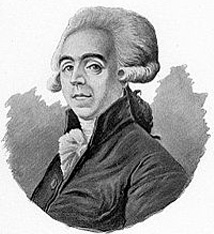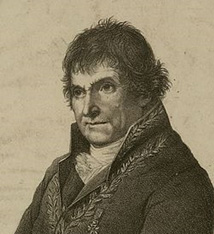
He was born on July 2, 1746, in Dijon, in the parish of Saint Pierre.
His father was a master glazier.
After completing his training at the hospital in Dijon, his mother sent him to Paris to continue his medical studies, and he enrolled at the Royal College of Surgery, where he attended classes regularly from 1765 to 1767 and took anatomy courses taught by Raphaël SABATIER and Jean-Joseph SUE.
At the same time, he was learning the basics of surgery at Lafaye’s clinics and, in the afternoons, at those of Isaac GOURSAUD.
His years of surgical training came to an end in 1768, when he earned the title of Master of Surgery; he then settled in Dijon as a surgeon
He married Jeanne CARRE, the daughter and granddaughter of a master surgeon, on July 27, 1767, in Quetigny, Côte d’Or. Together they had a son, Bernard François Hector (1769–1837).
In 1769, he began teaching a free course in human and comparative anatomy, which was attended by many students for more than ten years.
In 1774, the Estates of Burgundy established a chemistry program with Louis-Bernard GUYTON de MORVEAU as the tenured professor and Hugues MARET and François CHAUSSIER as assistants. Upon MARET’s death in 1786, he was promoted to second professor of chemistry.
In Dijon, his professional qualities earned him the favor of his patients, and his reputation quickly spread beyond Burgundy; he distinguished himself at the Academy of Surgery through several presentations, and as a result, he was awarded the Academy’s Gold Medal at the public session on April 10, 1777.
He received his Doctor of Medicine degree from the University of Besançon on January 14, 1780, and in 1784, he became a corresponding member of the Royal Society of Medicine. That same year, he was admitted to the Academy of Sciences, Arts, and Literature in Dijon, where he became secretary-general following the retirement of Guyton de Morveau.
In 1785, at the request of the Estates of Burgundy, he published a popular guide on the treatment of bites from rabid animals: “Method for Treating Bites from Rabid Animals and Vipers; Followed by a Brief Treatise on the Malignant Pustule” (with Joseph Enaux, 1726–1798).
In 1789, he published a study on the muscles of the human body, in which he proposed a more rational classification than the one taught up to that point: “A Summary Exposition of the Muscles of the Human Body According to the Methodical Classification and Nomenclature Adopted in the Public Anatomy Course at Dijon”; this work was reprinted in 1797.
On December 20, 1789, he read a paper titled “Surgical-Forensic Observations on an Important Point of Criminal Jurisprudence” at the Academy of Dijon, in which he demonstrated the role that physicians could play in informing the judicial system; this work attracted attention, and the following year he launched a course in forensic medicine in Dijon.
On 3 Nivôse, Year III (December 23, 1794), he married Angélique LABOREY in Dijon (Crébillon District); they also had a son, Franck Bernard Simon (1804–1866).
In 1794, Antoine-François Fourcroy was tasked by the National Convention with reorganizing medical education and sought out a prominent figure who could provide him with the details of this reorganization. Claude-Antoine Prieur-Duvernois, from the Côte-d’Or, who headed the Department of Science and the Arts within the Committee of Public Safety, recommended François Chaussier, who thus joined the Committee of Public Instruction: he drafted a report and a proposed decree, which he read from the rostrum of the Convention on 7 Frimaire, Year III (November 27, 1794); In it, he proposed the creation of a single “Central School of Health” in Paris; the members of the Convention, who were largely in favor of decentralization, called for the creation of other similar schools in Montpellier and Strasbourg, and it was on this basis that the report was adopted on the 14th of Frimaire (December 4).
Chaussier returned to Dijon, where he resumed his lectures and studies as well as the duties that had been entrusted to him: he had been appointed physician of the Dijon Hospices in April 1793 and Prison Surgeon; he did not remain there long, however, as he was recalled to Paris to occupy the chair of anatomy and physiology at the School of Health. Chaussier was, in the words of Joseph-Henri Réveillé-Parise, the most famous professor of physiology at the École de Paris: he argued that vitalism was the foundation of all studies in physiology.
A decree dated 7 Vendémiaire, Year III (September 28, 1794) officially established the École Centrale des Travaux Publics, which would later become the École Polytechnique, the Board of Directors proposed, less than a month after the school opened, to establish an infirmary there and to appoint a “health officer” (the revolutionary term for doctors) to treat sick students and also to give lessons on “the art of preventing and alleviating diseases.” The roster of École Polytechnique staff for the following year lists him as an assistant to Claude Louis Berthollet, “simultaneously responsible for the courses in Zootechnics and Public Health, and School Physician”: in fact, he taught Berthollet’s course during the latter’s absence in Italy in 1796–1797. After the formalization of chemistry instruction, Chaussier appears to have abandoned teaching this science and confined himself almost entirely to his duties as a physician.
In 1799, *Les tables synoptiques* was published to great acclaim. It provides a summary of the physiology, pathology, and treatment of the various anatomical systems of the human body.
On May 9, 1804, he was appointed Physician of the Maternity Hospices and entrusted with the chairmanship of the medical examination boards for the examinations to become a Public Health Officer, Pharmacist, and Midwife for the district of the Paris Faculty of Medicine.
He was a member of the commission appointed by the Minister of the Interior in October 1810 to study “secret remedies”; there he worked alongside André Marie Constant Duméril, Jean-Joseph Menuret, and Nicolas Deyeux.
In 1815, after the fall of the First Empire, he was replaced as physician at the École Polytechnique, but he retained his chair at the Faculty until November 21, 1822, when the Restoration altered the Faculty’s organization: he was appointed honorary professor and his chair was revoked. He was deeply embittered by this, and the next day, he suffered a stroke that temporarily left him unable to speak or walk. He recovered, however, though he remained hemiplegic—a condition that did not prevent him from continuing his work at the Maternity Hospital.
On May 6, 1823, he was admitted tothe Academy of Sciences.
Between 1824 and 1827, he published several works on forensic medicine: “Forensic Manual of Poisons, Preceded by Considerations on Poisoning”14, “Collection of Papers, Consultations, and Reports on Various Topics in Forensic Medicine”15, “A Forensic Medical Treatise on the Viability of the Newborn, Presented toHis Excellency the Keeper of the Seals, Minister of Justice”16
François Chaussier died at his home in Paris on June 19, 1828, at the age of 81, from a stroke.
He was buried at Père-Lachaise Cemetery (18th division) on June 21: Nicolas-Philibert Adelon delivered a speech on behalf of the Academy; Marie-Alexandre Désormaux, representing the Faculty, did the same; and Duméril, on behalf of the Royal Academy of Sciences, read a lengthy eulogy.
Thesecond son, Franck CHAUSSIER, followed in his father's footsteps and defended his doctoral dissertation in 1827 in Montpellier.
He is a French physician, a professor at the Paris Faculty of Medicine, and a member of the Royal Academy of Medicine and the Academy of Sciences.
Chaussier was the principal editor of the articles on pharmacy inthe *Encyclopédie méthodique*13.